 Login
Login

Disabling SIP ALG - Netgear ProSafe
Note that as this process may temporarily interrupt your internet connection and phone service, we recommend doing this in an off-peak period or outside of business hours.
Learn more about SIP ALG in our knowledge base article here: SIP ALG
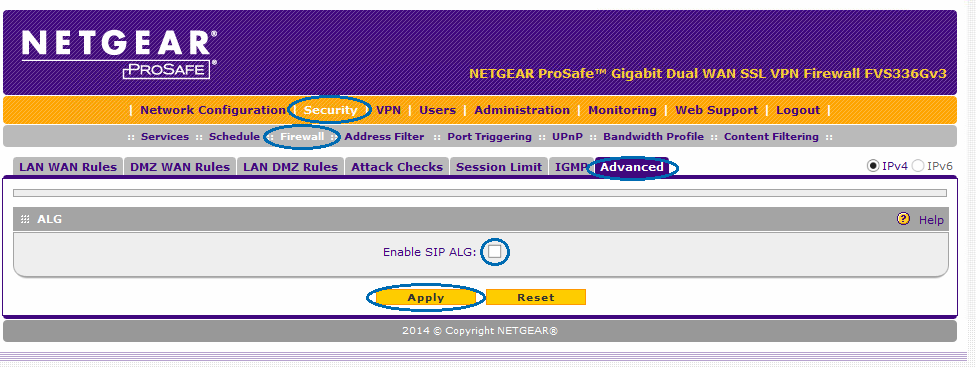
Disabling SIP ALG
From the Menu, select Security, then Firewall and Advanced.
Uncheck SIP ALG and click Apply. If you are prompted to reboot, please do so.
Date created: Jan 17, 2019
Last modified: May 6, 2019
 Australian Sales team about our phone system plans?