 Login
Login

Adding or Buying More Extensions
If you run out of PBX Extensions, you will need to upgrade your plan. It is not possible to buy a single extension.
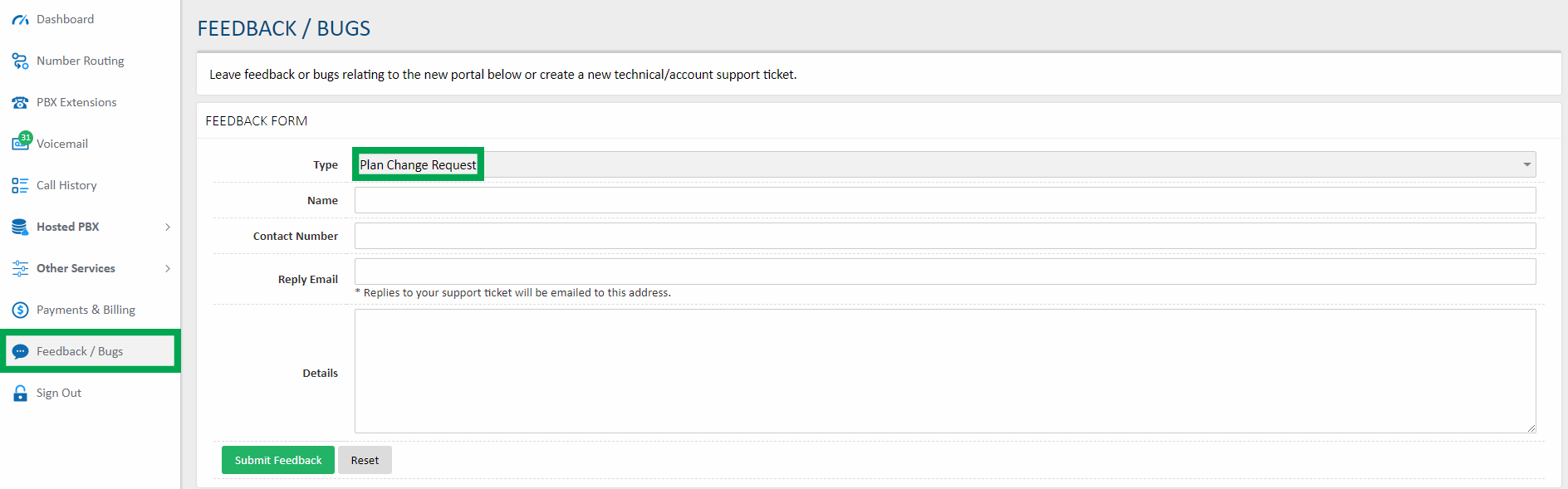
To upgrade your plan, including to increase your available extensions, voicemail boxes, or concurrent calls, log in to https://my.maxo.com.au/ and select Plans and Subscriptions Select the dropdown box to show and select from the available plans. Once chose, click View and Upgrade Plan. Please Note: For MaxoPhone/Everyday PAYG plans, upgrades or downgrades must presently be actioned by a member of our Support Team. So that we can assist, please send a ticket via "Support & Feedback" in the customer portal. If you need to downgrade your plan or change your MaxoTel plan type, simply log in to https://my.maxo.com.au/ and click on 'Submit a Ticket': Simply change the 'Type' field to 'Plan Change Request' and then enter the plan you want to switch to in the 'Details' field. Or alternatively you can simply email us directly via: https://www.maxo.com.au/contact-us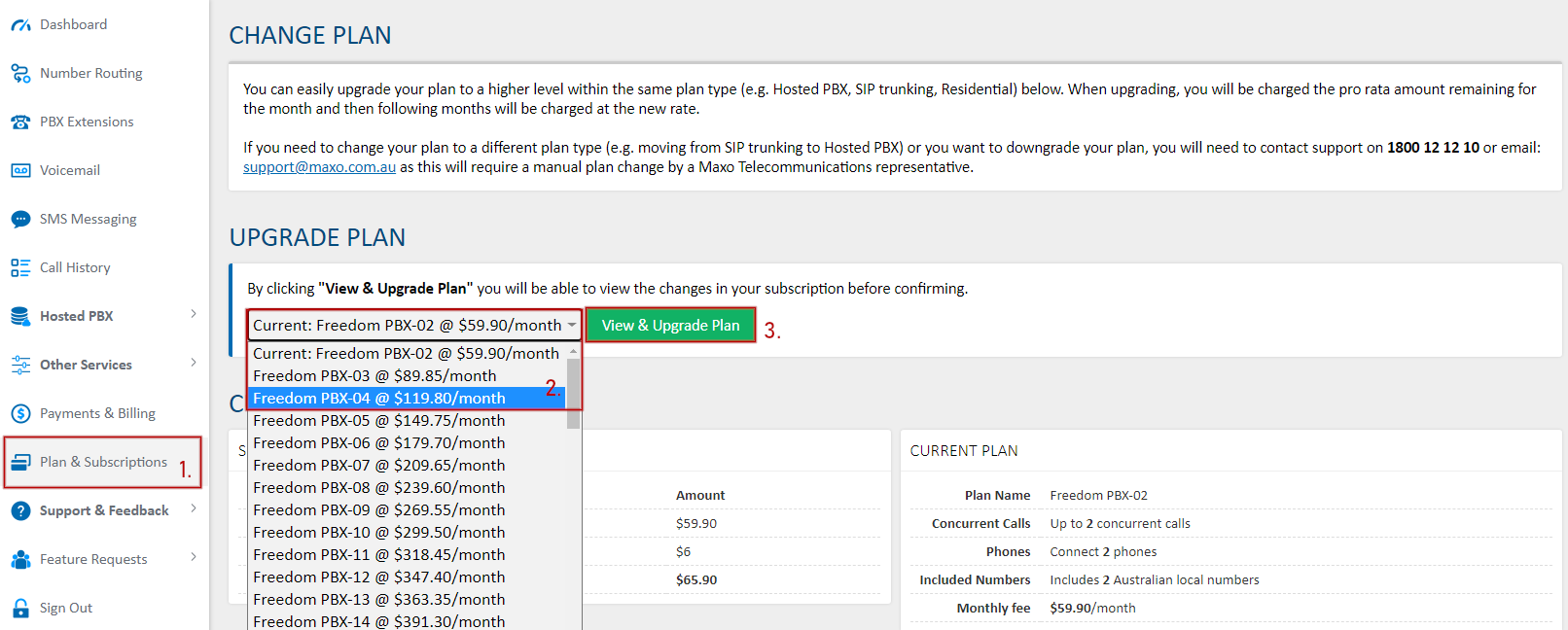
Key Words: Additional Extension, Add extra extension.
 Australian Sales team about our phone system plans?